
About Me

Thursday, October 8, 2015

Microsoft Surface Book

I really want to like the Surface Book that Microsoft has just announced, but boy is Microsoft making it hard! As of writing this post, the dedicated website for the Surface Book lacks the showmanship and technical details needed to persuade a reader to buy the damn thing. It just looks like an uninformative and half-finished website. The website has been split into four sections: key features, innovation, in action, and tech specs.

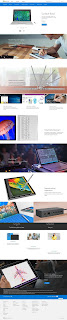

Key Features

This section of the website gives a broad overview of the key features of the Surface Book. Unfortunately, none of the key features that are mentioned do much to reel in an interested reader:
  • Powerful laptop
    "The first full laptop has arrived in the Surface family. Surface Book is a powerful laptop with a full sized, backlit keyboard for fast and natural typing."
    No mention of the awesome processors/brands that are used or how fast it can accomplish standard tasks.
  • Portable clipboard
    "The 13.5” PixelSense™display detaches easily from the keyboard to become a thin, light tablet that works perfectly with OneNote and Surface Pen."
    No mention of the awesome weight, dimensions, and battery life of the screen.
  • Creative canvas
    "Turn the screen around and reattach it to use Surface Book like a creative canvas. By reconnecting it to the keyboard, you unlock its full creative power in a pen first mode."
    The need to reattach the screen sounds more like a nuisance than a feature. 
  • Graphic horsepower
    "With an optional discrete graphics chip, Surface Book is built for even the most intensive creative tasks like photo and video editing."
    No mention of the awesome graphics chips/brands that are used. No mention of whether multiple external monitors is possible.
  • Serious creativity
    "Use the multi-touch PixelSense™ screen and Surface Pen to create with all the desktop software you already use, like Adobe® Photoshop® and Illustrator."
    No mention of the ability to sense 1024 levels of pen pressure. No mention of the awesome pen resolution, sampling rate, and output latency.
  • Mobile studio
    "Surface Book is the creative professional’s laptop, designed to power through professional grade photo and video editing."
    No mention of the awesome battery life under typical "creative usage".
  • Full Office
    "Surface Book works perfectly with the full suite of Office products, driving your productivity to new heights."
    Hardly a feature.
  • Markup webpages
    "Write directly on webpages with Surface Pen in the all-new Microsoft Edge browser and share your notes easily."
    Surely a better "feature" would be the ability to markup work documents in Office, PDF,  etc, and images.
  • Limitless apps
    "Surface Book has all the power you’ll need for even the most demanding creative apps. Use Adobe® software with a pen or mouse."
    Again, hardly a feature. Everyone expects a Windows PC to run all Windows apps.
At the very least, Microsoft should give links to extra information for each of the key features.

Innovation

This section is just like the "Key Features" section. A bit of text with nothing to show for:
  • Meticulously crafted
    "Surface Book’s one-of-a-kind hinge folds and detaches to transform from laptop, to clipboard mode, and then into a creative canvas."
    No video or pictures showing how the hinge works. Personally, I think the hinge on the Lenovo Yoga Pro laptops look much better and you don't need to detach the screen to use it as a "canvas".
  • One click to Cortana
    "Click and hold the top of Surface Pen to activate Cortana, your truly personal digital assistant."
    Is there a special microphone in the pen that picks up your voice? Difficult to see why this one button is innovative.
  • One click to OneNote
    "With one click of Surface Pen, a blank OneNote page appears for quick notes."
    Shortcut keys are hardly innovative.
  • Rest your hand
    "With Palm Block technology you can rest your hand on the screen to write naturally, just like a pad of paper."
    No videos of this working to show to the "creative professional" how well it works. 
  • Detachable Keyboard
    "Surface Book uses Muscle Wire to hold its screen in place securely, while still allowing it to detach perfectly with the push of a button."
    How exactly does Muscle Wire work? What problem did it solve? How is this detachable keyboard better than the Surface Type Cover? This is one of the key selling points of Surface Book.
  • PixelSense™
    "Our PixelSense™is a true-to-life screen technology designed for beauty, touch and pen."
    No video explaining and describing what PixelSense is. This is one of the key selling points of Surface Book.
  • Natural writing experience
    "Surface Pen combines 1024 levels of pressure sensitivity with low latency for a real pen on paper feeling."
    No video demonstrating the natural writing experience.
This section was extremely underwhelming and lacks any innovation. The thought I'm left with is why the Surface Book laptop is any better than the Surface Pro tablet. I mean, the Surface Pro is marketed as "The tablet that can replace your laptop."

In Action

This section is supposed to showcase the use of Surface Book in real-life situations. Yet, all it has are a few stock images and a short sentences listing out some situations. No videos, pictures, or stories to illustrate and persuade the reader. Hopefully Microsoft will update their website with some nice multimedia.

Tech Specs

This section gives confusing technical details on the Surface Book. I know from looking at the Surface Book teaser on YouTube that the detachable keyboard contains some batteries, discrete graphics chip, and external ports. Unfortunately, the technical details provided in this section does not clearly delineate the hardware features that resides in the screen or in the keyboard. For example:
  • Weight
    "Starting at 3.34 pounds (1,516 grams) including keyboard"
    What about the weight of the screen? Will I be carrying around a 1kg screen?
  • Dimensions
    "12.30” x 9.14” x 0.51 - 0.90” (312.3mm x 232.1mm x 13.0 - 22.8mm)"
    How "thin" is the thin screen?
  • Battery life
    "Up to 12 hours of video playback"
    What is the battery life of the screen by itself? How much battery life is provided by the batteries in the keyboard?
  • Memory
    "8GB or 16GB RAM"
    Are all the memory located in the screen?
  • Ports
    "Two full-size USB 3.0,  Full-size SD™ card reader, SurfaceConnect, Headset jack, Mini DisplayPort"
    As far as I can see from the stock images, only the headset jack resides on the screen. All other ports reside on the keyboard. I think this is crippling because the screen cannot be used as a standalone tablet, like the Surface Pro.

Sunday, September 27, 2015

Fountain Pens

I've recently moved to Bamberg, Germany and purchased a few more fountain pens. I thought I'd document the fountain pens I own, based on brand. I have ink converters for each brand so that I can use a variety of inks. I use ink cartridges when I'm travelling because of the convenience of not needing to bring a bottle of ink. 

Waterman

This is a French company with some American history.

Charleston

I bought this in 2010 from Whitcoulls in Auckland, New Zealand. I have the ebony black fountain pen with gold trimmings and medium nib. It writes very smoothly, although the nib is quite small so it looks out of proportion with the cigar shaped barrel. Sometimes the cap comes loose during writing when it is posted on the barrel. The cap screws on, which helps to prevent ink from leaking out into your bag or pocket. I was able to get a 15% discount off the 350NZD price because I was a student.

Hémisphère

I bought this in 2012 from Longchamp in Paris, France. I have the matt black fountain pen with chrome trimmings and medium nib. It writes smoothly, even after accidentally dropping it twice on carpeted floor from waist height with the nib pointing down. It runs a bit too wet because of my accidental drops, but it is still smooth. The barrel still has its matt look even after a lot of use and posting the cap. I got this for about 76EUR.

Kultur

I bought this in 2012 from a local supermarket store in Grenoble, France. I have the clear and colourless demonstrator fountain pen with a fine nib. For a 12EUR fountain pen, it writes okay without been too scratchy. This is a good pen to use in all conditions and when you don't care about damaging it. It's probably the only pen that I will let others use without feeling possessive. I quite like the clip because it is spring-loaded, which means you're less likely to "over bend" the clip on thick sheets of paper or clothing.


Lamy

This is a German company that makes fountain pens for students and corporate people.

AL-star

I bought this in 2015 from Müller in Bamberg, Germany. I got the copper-orange (2015 special edition) fountain pen with medium nib. It has an aluminium body and writes quite well but the smooth spot on the nib is quite small. The nib dries out quite quickly when uncapped. The entire design is quite industrial looking, but I have to see how well the anodised copper colour will hold up to wear and tear. I got this for about 20EUR.

Logo

I bought this in 2010 from Whitcoulls in Auckland, New Zealand. I got the brushed fountain pen with a medium nib. The nib is very scratchy and should be sent away and smoothed out. The brushed finish on the slender barrel makes the pen very slippery and hard to write with. I got this with a 35% discount for about 27NZD.


Faber-Castell

This is a Germany company that makes art supplies.

Loom

I bought this in 2015 from Metzner in Bamberg, Germany. I got the metallic blue fountain pen with fine nib. This is quite a heavy pen but the barrel has a very nice feel and grip. The clip is spring-loaded but sometimes makes a squeaking noise when it opens. The pen writes quite smoothly for a fine nib. I do like the design on the nib.


Monte Verde

This is an American company.

Artista Crystal

I bought this in 2012 from Gibert Joseph in Grenoble, France. I got the clear and colourless fountain pen with a medium nib. It writes fairly smoothly but it is quite wet. The metal grip section is quite slippery and this makes it difficult to write with. The barrel attracts quite a bit of fingerprints and makes it look dirty. The cap screws on, which helps to prevent ink from leaking into your bag or pocket. I got this for about 40EUR.


ONLINE

This is a Germany company that focusses on making fountain pens for children and students, but has a few styles for corporate people.

Vision Fresh

I bought this in 2015 from Müller in Bamberg, Germany. I got the juicy green fountain pen with medium nib. It writes very smoothly but it is quite broad and wet. The cap has a solid click when you close the pen. It has a spring-loaded clip, although the clip does curve out quite a bit from the cap. The cap is lined with plastic to protect the end of the barrel when you post the cap. The cap posts quite securely on the barrel.


Tuesday, June 24, 2014

Make Annual Group Meetings Exciting!

Recently, I was made aware of an article on how Annual Group Meetings (AGMs) for companies on the Australian Stock Exchange (ASX) are a dying tradition. The article is based off the Benchmarking Listed Company Secretarial Practice in Australia 2014 report by the Governance Institute of Australia (side note: it is unfortunate that half the media release was used to advertise the demise of CAMAC). You have to purchase the report to read it. Since I am not willing to cough up the 650 AUD, this blog will based off what I have read in the media.

Summary of the News Article and Press Release

The report finds that the current form and function of AGMs is becoming irrelevant to retail (mum and dad) investors in today's world. The cost of staging an AGM has increased by 38% while the proportion of shareholders turning up is dropping (now less than 1% of the shareholder base). The report noted that 53% of shareholders were not interested in receiving (lengthy) annual reports. The problems stated by the report are that AGMs are not engaging for the shareholders and shareholders don't see the AGM as a decision-making forum. Proxy votes have to be in before the meeting starts and most of the voting power is with large (institutional) investors.

The suggestion is for companies to improve their AGMs by engaging with their shareholders and turning the AGMs back into decision-making forums. The voting and engagement functions of AGMs should be separated out to give shareholders more time to consider their votes after they have had time to engaged with the company (in the form of hard hitting questions).

Thoughts

My initial thought was to disagree and instead postulate that the problem lies with a growing proportion of lazy shareholders. These are shareholders who have bought shares in a company because of a recommendation by a friend, share broker, or crystal ball. Without having made much effort to research the company before buying their shares, these shareholders choose to be disengaged with the company. Shareholders should feel the privilege of being part of an elite group who can say that they own a (successful, famous, prominent, proud) business.

The idea that many shareholders are not interested in receiving annual reports is certainly alarming (I don't know if the report considered shareholders who download the reports in lieu of physical copies). When you buy shares in a company, you expect the company to do great things with your money and you expect to be paid back once the company has matured. You would never loan out your money without expecting it back; otherwise it wouldn't be a loan. The reports and AGMs are a way for shareholders to keep their money in check and to hold the company accountable when it fails to deliver. AGMs usually end with shareholder questions and is the time for shareholders to speak up. If shareholders are too shy to speak in front of an audience, they can talk to the CEO and company representatives after the AGM has concluded. 

Annual reports begin with a short commentary of the financial year: what the company has achieved so far and what it hopes to achieve in the long term. Reading just this section will give you an overview of how the big guys in the company think the company is going. You do have to read between the lines to look past the sugar coating for the (potentially unpleasant) facts. Having a good fundamental knowledge about running a business definitely helps and you will feel less afraid and bored of reading annual reports. We should think about instilling business knowledge into our children so that they have the willpower to read and digest annual reports.

A way to increasing shareholder participation and interest is to create an educational forum where shareholders can discuss about companies, mainly to gain an unfair advantage on their understanding of various companies. Many shareholders are interested in discussing the future of companies and their performances. Sharetrader is one such example where healthy discussions occur frequently for many companies. 

Most annual reports are lengthy only in their financial statements. The bigger the company, the longer its financial statements and the more ominous they look. To combat this, shareholders should learn what key metrics they should look out for in the financial statements to get a feel of the company's financial performance (fundamental analysis). For more an in depth analysis, shareholders should be able to rely on the work of professional share brokers.

Without having access to the report, I do not know if they break down the type of shareholders who are disengaged with the company. It could be that more shareholders are traders and only care about the daily price fluctuations. It could be that companies now have larger base of international investors who cannot physically make it to the AGM. It could be that less people are able to make it to AGMs (which are held during working hours) because lifestyles have changed through the years.

There are companies that are majority owned by large private shareholders and therefore have majority control of the company, and so it is not surprising for the small shareholders to feel insignificant. However, for companies with a large base of small shareholders, the shareholders should not fall into the fallacy that they shouldn't bother voting because of they have a small voting power. Small shareholders need to realise that their collective voting power can be quite significant. This is evident during government elections, where every vote counts!

But

Having recently attended a rather dull AGM, companies should make an effort to rouse up excitement among their shareholders. If shareholders aren't excited about the company, then why should the customers be excited to use their products or services? An AGM is also a time for the company to celebrate great successes with its shareholders. Companies should strive to teach something new to their shareholders to show that they are keeping with the times and know what they're doing; e.g., business practises, customer behaviours, marketing strategies, or pricing models. AGMs should be a place where attending shareholders feel that they are gaining an unfair advantage over those who don't turn up; being able to ask sensitive and personal questions to the CEO, get to know the people running the company, get product/service demos so that you have a better understanding of what customers are buying, and explanations beyond what has been written in the annual report. AGMs should be a convenient excuse for shareholders to meet up, have a good time, share their personal views and strategies, and to network or make new friends.

Monday, May 26, 2014

Samsung's Smart Refrigerator

I've recently been reminded about smart refrigerators; fridges that can do more than just refrigerate. I think we are a long way off from any smart refrigerators but you can buy some that are marketed as being smart. I have cherry picked a couple of Samsung smart fridges to talk about: 30 cu. ft. Side by Side Refrigerator and 8" LCD Digital Display with Apps (Manual) and 28 cu. ft. 4-Door Refrigerator with 8" Wi-Fi Enabled LCD and Counter-Height FlexZone™ Drawer (Manual). They include an 8" (tablet) screen that runs Android and comes with several built-in apps. Let's quickly gloss over these built-in apps:
  • Grocery Manager: Lets you manage food items by location, storage date, and expiration date.
    • Allows you to create an inventory of food that is in the fridge, limited to 70 items from 15 different categories. Not as useful as it sounds because you have to manually manage the whole inventory; nothing is automated.
  • Memo: Lets you create, save, or check memos.
    • Digital Post-it notes? Somewhat useful when the LCD hasn't automatically switched off, otherwise SMS instead.
  • Pandora: Plays music provided by the Pandora Internet radio service.
    • I'm betting that the sound quality is going to be awful (couldn't find any specs on the speakers).
  • Epicurious: Lets you view recipes and create shopping lists for the recipes you select.
    • Does not integrate with the built-in grocery management app. Assuming you can read the recipes off the small 8" screen, you would have to turn around to face the fridge to go to the next step. Oh, by the way, "There will be a 4-second commercial when you start Epicurious."
  • Kitchen Phone: Connect to your smartphone using the Samsung Smart Home app and make or receive phone calls.
    • Requires a (recent high-end) Samsung smartphone connected to the same Wi-Fi network. Useless feature if your natural reaction is to use your phone to call, rather than your fridge. Just bring your phone with you into the kitchen.
  • Mirroring: Access the smartphone screen on the refrigerator, and control or change the settings on the phone.
    • This will expand the functionality of the fridge's screen, but just use your phone. Your phone has a higher resolution and will only display in portrait mode on the tablet's landscape screen. Plus, how long are you willing to stand in front of your fridge (while people are opening and closing its doors)? If you don't want people mucking around with your phone, you have to remember to disconnect it from the fridge.
  • Kitchen TV: Connect your Samsung TV to the same network as the refrigerator and watch TV on the refrigerator’s screen.
    • Requires a (recent high-end) Samsung TV connected to the same Wi-Fi network. Just watch TV on your expensive Samsung TV. You'll get better picture and sound quality, and you won't have to touch the fridge every time you want to change channels during those ad breaks.
  • AP News: Displays the news from one of 11 categories you select.
    • Actually, "The news article on the preview page shows the first 2 lines of the entire article. To view the article in detail, visit http://www.ap.org on your mobile phone or PC."
  • Twitter: Displays Twitter messages.
    • Not useful because you can only read tweets and log in from one user account. Would you want your all your family members or flatmates to read your tweets?
  • WeatherBug: Displays the current weather and weather forecast.
    • Not useful, because "There will be a 4-second commercial ad when you start WeatherBug."
  • Calendar: Lets you view the schedule you stored in Google Calendar.
    • Probably the second useful app. You can view your personal and shared Google calendars. You can create events, but "You cannot modify or erase the Google Calendar schedule through the refrigerator display screen" seems like a fatal flaw; How do you correct mistakes in a (newly created) event?
  • Photo: Lets you manage stored photos and import photos from external devices such as memory cards.
    • This might be useful if you like digital photo frames.
  • Phone Finder: Use Phone Finder to find a misplaced smartphone that has the Samsung Smart Home app installed and is connected to the same network as the refrigerator.
    • All it does is ring your lost phone. "The Ringing screen appears and the smartphone rings or beeps for 1 minute. Follow the sound to find the phone." You can easily ring your lost phone yourself or go to http://findmymobile.samsung.com
  • Settings: Lets you set the refrigerator’s basic functions such as Energy Saver, Door Alarm, Time, etc.
    • Probably the first useful app because it is the only way you can customise the refrigeration of your food.
The tagline at the front of the product manual is, "imagine the possibilities." So, without further ado, here are some possibilities that I can imagine but Samsung haven't:
  • The fridge does not automatically recognise the food that it contains: The user has to manually add/remove the groceries they take in/out of the fridge using the built-in grocery manager. Wouldn't it be useful if this could be automatically?
  • A maximum of 70 grocery items from 15 different food categories can be recorded by the grocery manager: It can't record how much of each grocery item is left. Wouldn't it be useful if the fridge could automatically track the amount of groceries left? What about creating virtual partitions within the fridge and allowing people to tag their food so that they don't get confused other other people's (e.g., flatmates) foods?
  • The fridge has no forward-facing camera: Wouldn't it be useful if the fridge could automatically recognise the grocery items you put in and and take out so that the user doesn't have to? Wouldn't it be useful if the fridge could understand the expiry dates printed on the items so that the user doesn't have to manually enter it in? The fridge can use photos of the groceries to display exactly what's inside the fridge. 
  • The fridge doesn't create a list of grocery items that are running low and doesn't do online supermarket shopping: Wouldn't it be useful if the fridge could automatically populate an online supermarket cart with the items that are running low and from the user's custom shopping lists?
  • The included recipe app does not work with the grocery manager to tell the user if they have all the ingredients needed to make the meal: It can create a shopping list of all the ingredients you need but will not take away the ingredients that you already have in your fridge.
  • The tablet software can be updated but there is no way for the user to install additional apps: There is also no internet browser so the user is limited to the functionalities provided by the built-in apps. What if the user is using the recipe app but encounters an ingredient they haven't heard of? Where should they go to find additional information? Certainly not the fridge.
  • The fridge has no ambient light sensor to detect the brightness of the room that it is in: Wouldn't it be nice if the fridge could automatically set a sensible brightness for the tablet's screen and for the lights inside the fridge? No one wants to be blinded in the middle of the night when they go for a snack.
  • The tablet only has an 8" touch screen with no ability to change its viewing angle: The tablet hasn't been designed for the consumption of media. You will have to be at arms length to use the media apps (excluding the photo app). If you sit down, you'll have to be able to reach up to touch the screen. I cannot see people standing in front of their immobile fridge consuming food and media.

Wednesday, May 21, 2014

Mink: Printing makeup

Mink, a "3D printer for makeup", received a fair bit of media coverage and positive feedback after it was presented at Disrupt NY. Apparently, Mink will use inkjet printer technology to produce makeup with custom colours. Mink is expected to be the size of a Mac Mini when it is sold to consumers (13 - 21 year old girls). Grace Choi is the sole founder and only employee of Mink (TechCrunch interview). Her pitch at Disrupt NY was cringe-worthy, especially during the question and answer section. She had a rather condescending way of presenting her idea and choose some very poor words. There are better ways of describing the large margins that large cosmetic companies put on their products without calling it "bullshit". Let's also not mention her lack of spell checking when she had "convieniance" on her slide. However, let's focus on the technical issues with Mink:

Colour Reproduction

Printing the exact colours you see on a computer screen is extremely difficult. In fact, some colours cannot be printed at all! As an analogy, let's talk about the colours you see on a computer screen and the colours you see on a piece of paper produced by an inkjet printer:
  1. Colours on a piece of paper are reflected into your eyes, while colours on a computer screen are emitted/illuminated into your eyes;
  2. Related to the first point, printers use subtractive CMYK ink to create colour, while computer screens use additive RGB subpixels to create colour;
  3. Printers create the illusion of a wide range of colours by ejecting microscopic droplets of CMYK ink onto the paper and can vary the density of the droplets to produce different colours or intensities. Computer screens create the illusion of a wide range of colours by changing the intensity of each RGB subpixel; the density of the pixels is fixed because of the way the screens are manufactured.
  4. Related to the third point, the colours seen on a page are affected greatly by ambient lighting. Colours look darker in dim light, but brighter in bright light. The colours are also affected by the colour of the actual paper; i.e., how white the paper is. The colours seen on a computer screen are also affected greatly by ambient lighting, plus the contrast, brightness and temperature settings of the screen. The colours are also affected by the technology of the screen and how the RGB subpixels are arranged.

Summary

The makeup colours you see on a computer screen may not be the makeup colours you get from the Mink printer - this breaks the convenience of the WYSIWYG (What You See Is What You Get) paradigm. Moreover, when you are printing the colours onto (into?) the makeup base (e.g., powder, foundation, creme, or lipstick), you need to physically mix the base colours that are ejected from the printer, otherwise you will get spots of CMYK. I cannot find any information about how Mink will create its range of colours as it is closely guarded secret (patent pending).

3D Printing

The idea of 3D printing is to create 3D objects that can hold their shape. I think Mink is using "3D printing" solely as a buzzword for marketing purposes. It is unnecessary to use a 3D printer to print the makeup. In fact, if you only need to add colour to the makeup substrates, then I think it is faster and easier to make makeup without using a 3D printer. All you really need is a colour mixer; custom colours is the only selling point of Mink anyway.

For example, for lipstick, isn't it easier to set the lipstick in a mould rather than using half an hour to print the lipstick one layer at a time? How do you "3D print" cremes and foundation when they cannot even keep their shape? How do you "3D print" powders without creating a cloud of dust and doesn't the powder need to be pressed before it can be picked up and placed into a case?

As Grace concedes to the investors during her pitch, the Mink demo was rigged. It did not print any makeup. This leads me to a few questions: Does she have a working prototype? How long does Mink take to print makeup? How noisy is Mink when it is printing makeup? Her target audience of 13 to 21 year old girls are not the ones to wait hours for their custom makeup to print; they want it printed in an instant! I cannot find the technical specs of Mink and judging by the way Grace answered one of the investor's technical question, I don't think she knows what the technical specs either.

At one point, Grace said that other types of makeup can be printed by using different "chips", such as a lipstick "chip", creme "chip" or a foundation "chip". I think her notion of a "chip" would be like the Gameboy cartridges that store different games, but this is unnecessary. You just need to write software (e.g., a firmware or a driver) for Mink that can instruct it to print lipstick, creme, foundation, and whatever else.

Summary

You just need a colour mixer that can mix precise amounts of base colours into the makeup substrates. By the way, saying that the idea will be patented doesn't mean the idea will actually work. Here's a patent for a Time Machine and a patent for a Teleportation Device.

Maintenance

Maintaining Mink so that it prints makeup perfectly without contamination is going to be difficult for Mink's target audience (13 to 21 year old girls) to achieve. If you allow Mink to print a range of makeups, then Mink will have to be able to flush out the residue of the previous makeup. This includes flushing out the colours and makeup substrate; challenging if the substrate contains oil. I imagine an integral part of Mink will have to be taken out by the user to be washed out or replaced. Mink will also need to think about how it will handle wet (e.g., lipstick and creme) and dry (e.g., powder) makeup substrates in the same machine. In traditional inkjet printers, clogged inkjet nozzles affect the quality of the colour reproduction. Mink users will have to make sure the ink does not dry up and clog the (microscopic) nozzles.

Summary

Mink will be difficult to clean.

Last Thoughts

I'm reminded of the wonderful idea of the €299 Hövding invisible helmet. As their FAQ states, "If your Hövding has been in an accident, it can’t be used again." The idea of Mink might sound nice, but coming up with a practical product is a separate issue.

Thursday, January 23, 2014

NZ to AUS - Experiences from an academic

John Grundy:
Reasons for moving to AUS:
  • Was professionally happy in NZ; personally not so. Was the best time to be headhunted.
  • Opportunities for the children.
  • Opportunity to improve financially.
  • New place to live.
  • More focus on the research.
  • Tip: Get Australian Permanent Residency.

Australian way:
  • AUS richer than NZ.
  • More bureaucratic.
  • Steadily reducing Government funding (nothing new).
  • Government decides the student fees.
  • Recently changed to a "bums on seats" funding approach.
  • Competition for grants becoming more intense.
  • Universities may have multiple campuses overseas.
  • Feeder colleges (supplies new students to the University).
  • Deals with TAFEs, private providers, and feeders.
  • More unionised staff.
  • Superannuation is better. 17% employer, 8% employee.
  • Can salary package superannuation with cars, house, etc.
  • Salary levels about the same as in NZ (at the same currency?). Professors have a fixed salary of $160k.
  • Higher tax in AUS. 46% for the top earners.
  • Have to pay levies (e.g., flood levies)

Swinburne University:
  • Workload-model driven.
  • Some rank-based (e.g., prof -> tutor) research loadings.
  • A lot of time spent arguing about workloads
  • More diverse range of students.
  • Commericalisation not a big focus.
  • Common to have industrial-based learning.
  • Increasing number of students with mental health challenges.
  • Nomenclature of courses is different.

Funding:
  • Discovery projects:
    • Like the Marsden Fund.
    • 15-20% success rate.
    • 90-100 page proposals.
    • Does not cover overhead costs.
    • No salary - University donates staff time to the grant (Cost is recovered through teaching).
  • Linkage projects:
    • Like the Ministry of Business, Innovation, and Employment grants.
    • Australian industrial partner needed.
  • Excellence in Research for Australia:
    • Like the PbRF scheme.
    • Counts publications, grant income, etc.
    • Number crunching.
    • Central data collection.
    • Magic number generated only useful for bragging rights.
    • Quality of papers irrelevant?

My impression:
  • John has held leadership positions at UoA and now at SUT, and was able to convey the differences of both Universities and countries.
  • Since a large portion of the audience was UoA staff members who have worked with John, it felt like a personal and frank discussion (some anecdotes I could not pick up on because I didn't have the backstory).
  • The research/academic profession/environment of AUS is similar to NZ. Although, AUS is more bureaucratic and has a different work culture that is workload driven (not necessarily bad).
  • Everyone has to assess their own personal situation before changing jobs or moving to another country. It seemed like John was in a position where he needed a change and was headhunted at the right time and seems to be enjoying it (got his Australian Residency approved).
  • Previously, the main drawcard to working in Australia was the relatively higher pay. However, since the significant rise in the NZ dollar, this advantage is diminishing. This means the cost of living is not that much different between AUS and NZ.

Monday, December 16, 2013

STRATUS: Is there a future for emerging researchers in NZ? Surviving the postdoc apocalypse

Postdocalypse:
  • Science Exchange: Place to outsource scientific experiments. A way for labs to get funding for the work they like doing.
  • PhD can set you up for startups: Working on something useful, working on data, hardworking, passion.
  • Highly unlikely that postdocs end up being in a long term academic career.
  • Observation: Most researchers are old. Are we in prime position to replace them when they retire?
  • Industry and academic research being disconnected is the wrong mindset. Both tries to answer questions. Just don't lose your skills.
  • Learning to write grants is important!
  • UniServices can give the opportunity for a staff member to pause their teaching for a year and pursue their startup.
  • Overseas positions are good for character development.
  • Use your network to secure your postdoc.
  • Use the postdoc to learn what you want to do and what you don't want to do.
  • Be open minded and look beyond your mentors (e.g., lecturers, colleagues, etc).
  • Might need to step down to step up (in the ranks, pay, etc).
  • Your PhD should have trained you to plan a few years in advance. Periodically evaluate your goals.
  • Money is not why you want to be in research.
  • Tell your story positively.